Navigation Tree
The navigation tree (Explorer) shows the configured environments (transformation databases) at the first level.
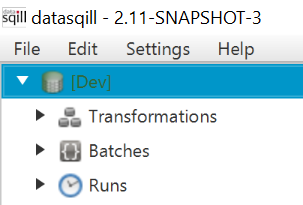
When you expand an environment, you will find the following categories:
- Transformations: The area where transformations are stored in directories and worksheets. See Transformations.
- Batches: Scheduled runs are stored here in directories. See Scheduled Runs.
- Runs: Running and completed runs. They are sorted by completion date; the Recent directory contains all runs completed on the current day and all executions that are still running. See Runs.
- Settings: Under Settings you will find Connections. Logical connections are displayed and edited here. See Connection Data.
Transformations
The Transformations area contains the transformation definitions stored in this environment. Transformations are recorded on worksheets. Worksheets sit in a folder structure of any depth.
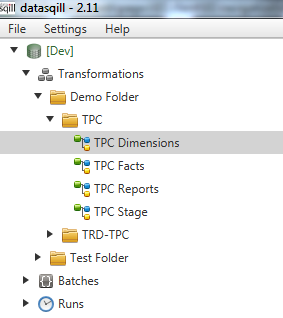
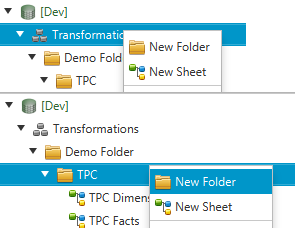
Create new folders and worksheets from the context menu (right-click Transformations or an existing folder, then New Folder or New Sheet). Delete them with Delete in the folder or sheet context menu.