
Monitoring
Display and administer runs
The Runs can be viewed in the tree under the root directory of the respective environment. No additional directories can be created in this directory; the tree structure is defined by datasqill.
The runs are divided into current (Recent) and runs completed before the current day (Finished).
Under Recent are all runs that
- are not yet in the completed (finished) state, i.e. active, interrupted, halted, or error
- were completed on the current day.
Under Finished there are (if there were runs on that day) directories of the 9 previous days in the format YYYY-MM-DD. These directories contain the runs that were completed on that day.
For a user to view the runs, they must be granted the EDITOR_RUNS_RUN_READ permission. To administer runs and their tasks (stop, restart, interrupt), they need the EDITOR_RUNS_RUN_EXECUTE right.
Outputs
Logging Stdout, Stderr
Start / Stop
Double-click a run in the Explorer to open the list of its transformations (worksheet, name, status, times, duration, error code, rows processed, and more).
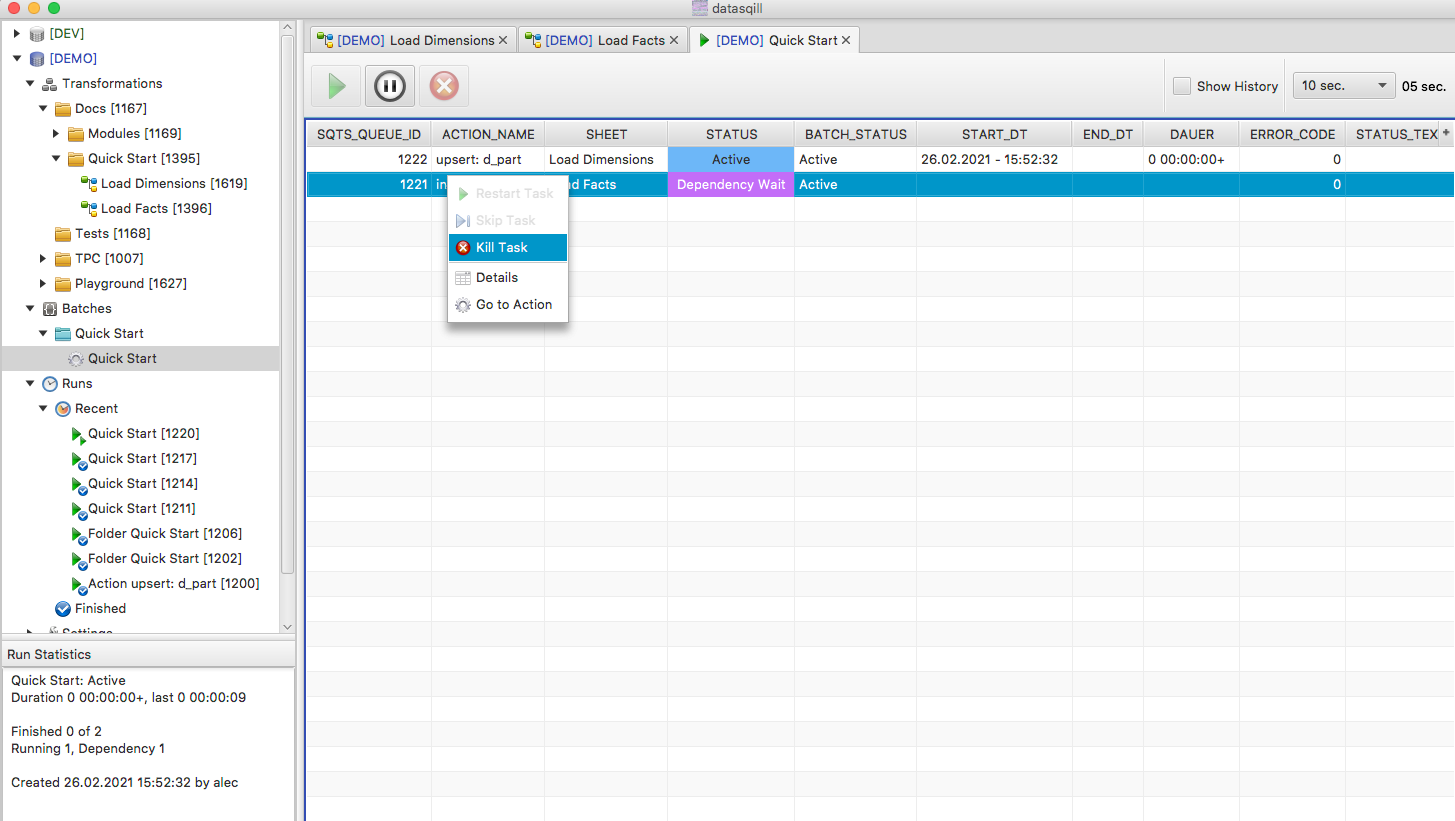
Toolbar:
- Resume Batch: continues a halted run
- Halt Batch: pauses a running run. Transformations that are already running finish; no new ones start
- Abort Batch: ends a halted run. Transformations still running finish; all others are marked terminated
- Show History: also shows earlier unsuccessful attempts
- Refresh Cycle: refresh manually or every 10 s, 30 s, 60 s, or 300 s
- Refresh: refresh now
Row context menu: Restart Task, Skip Task, Kill Task.
Double-click the transformation name to open the task view as key/value pairs.
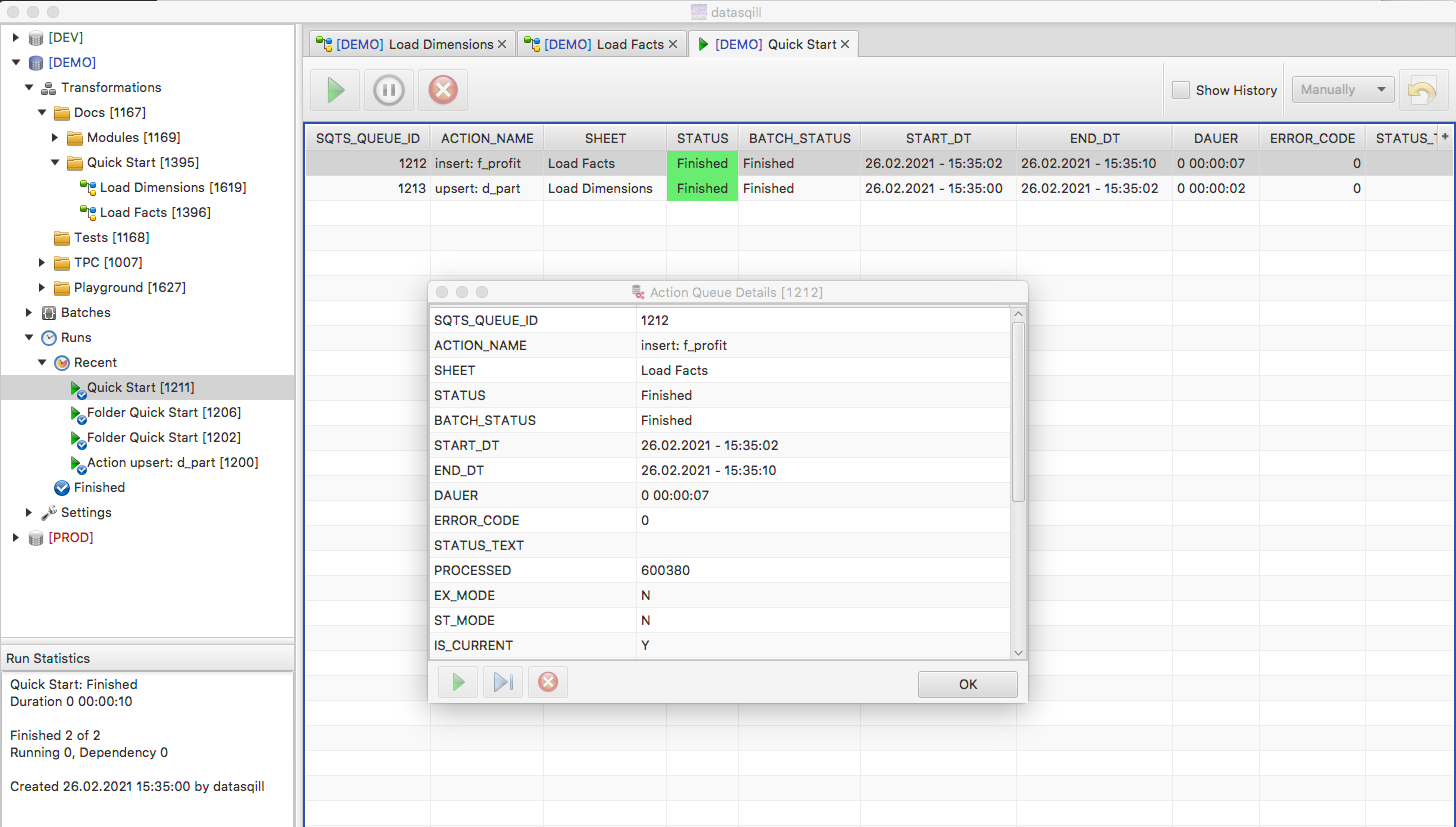
Restart Task restarts the transformation in the state it had at batch start. Changes to the transformation are ignored. If you corrected the transformation, start it on its own, not as part of this run.
The required right is EDITOR_RUNS_RUN_EXECUTE. Scheduler temp-space limits are under Execution Rules.